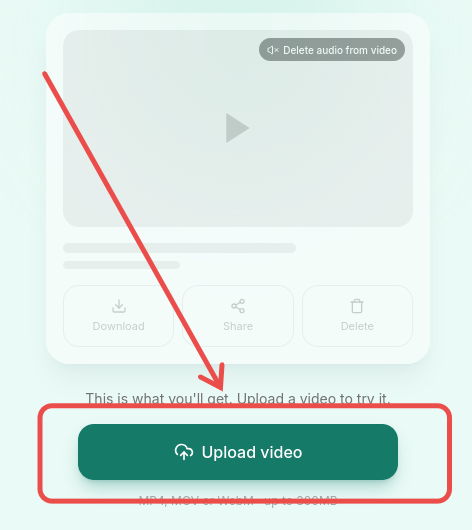
This is what you'll get. Upload a video to try it.
Uploading…
Uploading video
MP4, MOV or WebM · up to 300MB
Something went wrong
A quiet little tool
This website helps you remove audio from a video whether you're on an iOS or Android phone or a desktop. No need to install or learn any extra software. Just upload your file and get a video without sound.
Everything it does
One-tap sharing
Send your muted video straight from your phone with the native share sheet.
Built for mobile
A one-handed layout designed for phones, from upload to share.
Fast
No queue to wait in — processing takes about as long as the clip itself.
Free, no account
No sign-up and no limit on how many videos you can mute.
How it works
-
1
Upload your video
Tap the Upload video button and choose a video file to upload.
-
2
Wait for processing
The file starts uploading automatically. You'll see the upload progress, then the processing progress report.
-
3
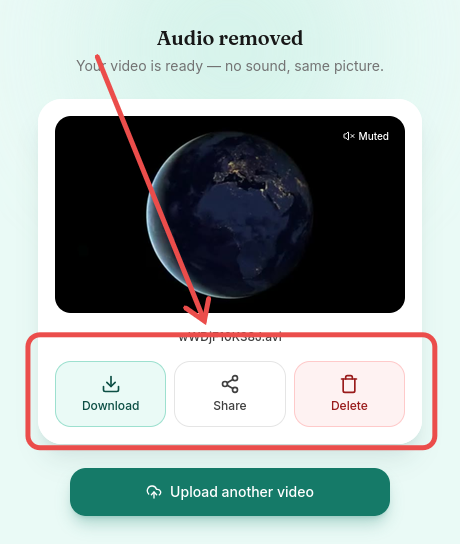
Download, share, or delete
When processing is complete, you can download the muted video, share it, or delete it.
Why it's convenient
- Optimized for mobile devices on Android and iOS
- Works online on Windows, macOS, and Linux
- Share the video with your friends in one tap
Privacy & Security
- You can delete your video yourself at any time.
- We don't store your video and never share it with anyone.
- Videos are deleted automatically after a couple of hours.
Common questions
Yes. Your video is sent to our server where the audio is removed. Files are automatically deleted after a few hours.
Yes, completely free, with no account and no limit on how many videos you can process.
Most common formats work for upload, including MP4, MOV, and WebM. The muted result is saved as WebM.
Videos up to 300MB are supported.
The picture is re-encoded to drop the audio track, so there can be a very slight quality change, but resolution and framerate stay the same.
Yes — it's designed mobile-first and works in any modern mobile browser.